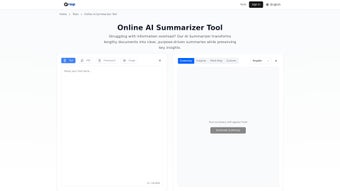

Download Grasp AI Summarizer Tool – Free AI Summarizer Online
Overview
In today’s information‑driven world, professionals, students, and researchers constantly wrestle with lengthy documents that demand quick comprehension. The Grasp AI Summarizer Tool steps in as a web‑based, free, and secure solution that transforms bulky PDFs, PowerPoint decks, and Word files into concise, insight‑rich summaries. Powered by advanced natural language processing (NLP) algorithms, Grasp intelligently identifies core ideas, filters out noise, and presents the essential narrative in a format that suits your workflow. Whether you’re dissecting a 30‑page academic paper, extracting key takeaways from a quarterly business report, or simply needing a rapid briefing before a meeting, this tool adapts to your needs without any sign‑up friction. Its drag‑and‑drop interface eliminates technical barriers, making it accessible to users across all skill levels. Moreover, Grasp offers granular control over the output: you can dictate summary length, prioritize specific sections, and choose the final presentation style—plain text, bullet points, or structured headings. The two‑step generation process first produces a raw condensation, then refines it for clarity and coherence, ensuring the final product reads naturally while preserving critical information. Because the service runs entirely online, there’s no need for local installation, and updates are applied instantly, guaranteeing you always benefit from the latest AI enhancements. In short, Grasp AI Summarizer Tool is a versatile, cost‑free ally for anyone who values time, accuracy, and a streamlined reading experience.
Key Features
- Multi‑Format Support: Accepts PDF, Microsoft Word (.docx), and PowerPoint (.pptx) files, ensuring you can summarize virtually any professional document.
- Drag‑and‑Drop Upload: Intuitive interface that lets you drop files directly onto the web page, eliminating complex navigation.
- Customizable Summary Length: Choose from concise 1‑paragraph briefs to detailed 5‑paragraph overviews, tailored to your reading time.
- Focus Area Selection: Highlight specific sections or keywords you want the AI to prioritize, perfect for targeted research.
- Formatting Options: Output can be plain text, bullet‑point lists, or hierarchical headings, providing flexibility for reports, slides, or study notes.
- Two‑Step Generation Process: An initial draft is automatically refined for readability and factual consistency, delivering polished results.
- Free, No‑Signup Access: The tool is completely free to use online, with no account creation or hidden fees.
- Secure Processing: All uploads are encrypted in transit, and files are deleted from the server after summarization to protect privacy.
- Instant Updates: As a cloud service, Grasp receives continuous AI model improvements without requiring user intervention.
- Cross‑Platform Compatibility: Works on any modern browser across Windows, macOS, Linux, Android, and iOS devices.
Installation & Usage Guide
Getting Started – No Installation Required
Grasp AI Summarizer Tool is a fully hosted web application, which means there’s nothing to download or install. Simply open your preferred browser—Chrome, Firefox, Edge, Safari, or any Chromium‑based mobile browser—and navigate to the official Grasp URL. The platform automatically detects your operating system, so you can start summarizing documents on Windows laptops, macOS desktops, Android tablets, or iOS phones without any additional steps.
Step‑by‑Step Usage
- Upload Your Document: Drag the file into the central upload zone or click the “Browse” button to locate it on your device.
- Select Summary Preferences: Use the dropdown menus to set desired length (short, medium, long), focus keywords, and output format (paragraph, bullet points, headings).
- Generate the First Draft: Click “Summarize” and watch the AI process your document. Within seconds, a raw summary appears.
- Refine the Output: Review the draft and, if needed, adjust the focus settings or add additional keywords. Click “Refine” to let the AI polish the language and improve coherence.
- Download or Copy: Once satisfied, you can copy the text to the clipboard, download it as a .txt file, or export it directly into a new Word document.
Compatibility Details
Because Grasp runs entirely in the browser, it is compatible with all major operating systems:
- Windows 10, 11 and later
- macOS Monterey, Ventura, and newer
- Linux distributions with a modern web browser
- Android 8.0 (Oreo) and above
- iOS 13 and later (iPadOS included)
Pros, Cons, and Frequently Asked Questions
Pros
- Completely free with no hidden subscription fees.
- Supports the most common document formats used in academia and business.
- Highly customizable output to match varied workflow requirements.
- Secure, encrypted processing with automatic file deletion.
- Works on any device with a modern browser, eliminating platform lock‑in.
Cons
- Requires an active internet connection; no offline mode available.
- Very large files (>100 MB) may experience longer processing times.
- Advanced AI settings (e.g., tone adjustment) are not yet exposed to users.
- Currently limited to English language documents.
FAQ
Is Grasp AI Summarizer truly free?
Yes. The tool is completely free to use online, and there are no hidden fees or subscription requirements. All features described are available without creating an account.
Can I summarize documents in languages other than English?
At present, Grasp AI Summarizer is optimized for English‑language texts. Support for additional languages is planned for future updates.
How does the tool protect my privacy?
All file transfers are encrypted using HTTPS, and every uploaded document is automatically deleted from the server once the summary is generated, ensuring no residual data remains.
What is the recommended file size for optimal performance?
For the quickest response, keep files under 50 MB. Larger documents up to 100 MB are supported but may take additional processing time.
Do I need to create an account to access advanced features?
No account is required for any of the current features. All customization options are available directly on the main interface.
Conclusion & Call to Action
The Grasp AI Summarizer Tool delivers on its promise of turning dense, time‑consuming documents into clear, actionable insights—all without a price tag or the hassle of installing software. Its blend of multi‑format compatibility, granular customization, and a secure, cloud‑based workflow makes it an indispensable ally for students, analysts, marketers, and anyone who regularly consumes large volumes of text. While it currently supports only English and requires an internet connection, the benefits far outweigh these minor limitations, especially given its zero‑cost model and rapid, AI‑driven summarization engine.
Ready to reclaim hours of reading time? Click here to launch Grasp AI Summarizer Tool now and experience instant, free, high‑quality summaries. Whether you’re preparing for an exam, drafting a business briefing, or simply staying informed, Grasp equips you with the concise knowledge you need—fast, secure, and effortlessly.



.png)



